
Live pick & ban
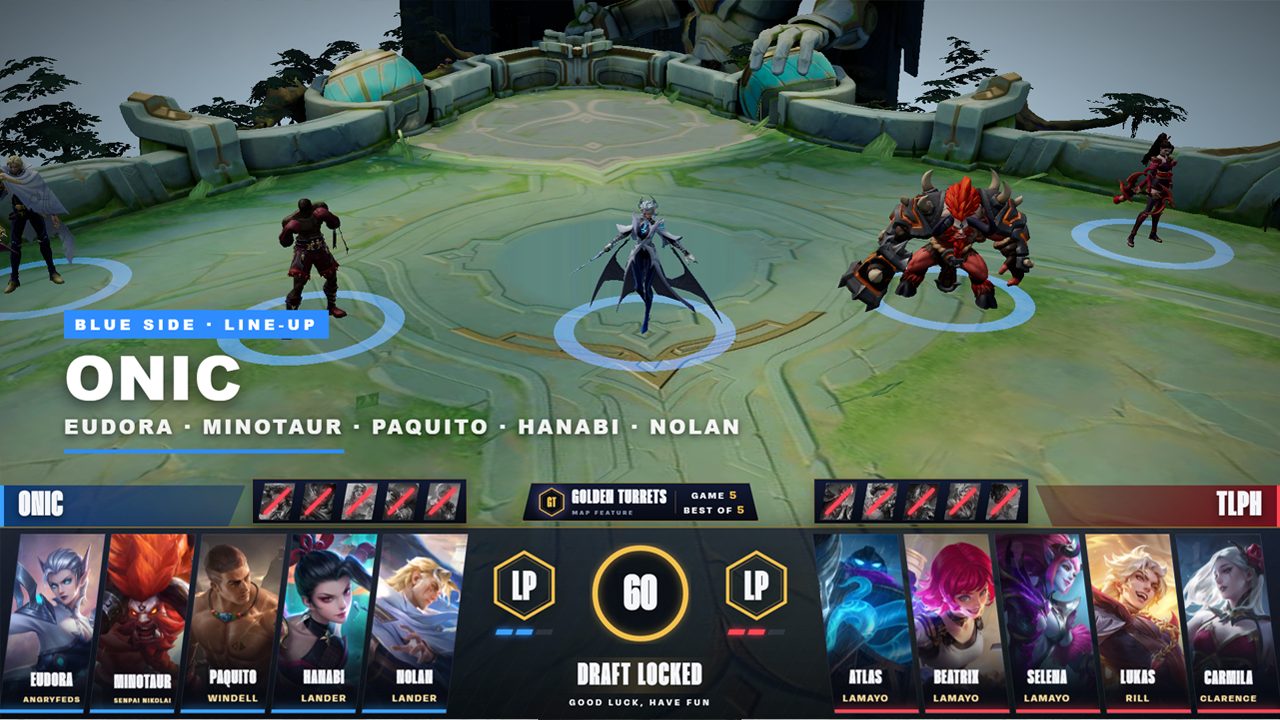
Drive the whole draft from one control panel: picks, bans, timer, series score and best-of. Every overlay updates instantly.
For Mobile Legends: Bang Bang tournaments
Live pick & ban, a 3D hero showcase, an automatic scoreboard, post-game stats, map draws and transitions, all running in OBS from one Windows app.
Features
Used on real tournament broadcasts, from the first draft to the final MVP.
Drive the whole draft from one control panel: picks, bans, timer, series score and best-of. Every overlay updates instantly.
Picked heroes appear as animated 3D models on the map, with line-ups and a cinematic transition into the game.
Reads kills, gold, turrets, lords and the game clock straight from the spectator view. No one has to type scores during the match.
Captures the end-of-match screen and builds KDA, gold, items, spells and ratings for both teams, ready to publish with one click.
Animated draws for the map modifier, with three styles to choose from and a result card that stays on screen.
Turtle and Lord spawn and slain animations, plus player call-outs, fired from a hotkey panel.
Bring remote casters and players on screen in branded frames, using VDO.Ninja links. No extra software for your casters.
Switch every overlay between Gold, Crimson and Emerald in one click, and drop in your tournament logo.
Screens
Real captures from the overlay tool. Click any picture to see it full size.
How it works
Download the installer and install it on your streaming PC (Windows 10/11, 64-bit).
Click Buy a licence in the app and pay. The app activates itself within seconds, no copying keys.
Open the Control Hub, copy each overlay's link and add it as a browser source in OBS.
Run the draft, scoreboard and stats from the control pages. New versions arrive as an Update button in the app.
Licensing
Each licence is for one streaming PC. Buying again for the same PC adds the time on top of what's left, with no reinstall.
$50 1 month$270 6 months$480 1 year
Buy a licenceFAQ
A Windows 10 or 11 (64-bit) PC with OBS Studio, and about 2.5 GB of free disk space. The live scoreboard reads the game from an OBS scene, so your MLBB spectator feed needs to be in OBS.
No. After activation everything runs on your PC. The internet is only used to check for updates and, if you use them, for remote caster cams.
Yes. Control pages open on any phone or laptop on the same Wi-Fi after logging in with a crew account.
Each PC needs its own licence. Buy one per streaming PC, or contact us about multi-PC setups for bigger productions.
A show that's already running is never cut off. The next time the app starts, it asks for a new key. Renew a few days early and the new time is added on top.
Yes. Upload your tournament logo and team logos from the control panel, and switch every overlay between the Gold, Crimson and Emerald themes.
Contact
Bigger production, several PCs, or something else? Send us a message and we'll reply by email.
Or email us at contact@landerproduction.com